Introduction: The "Network Homecoming" Challenge for Overseas Chinese
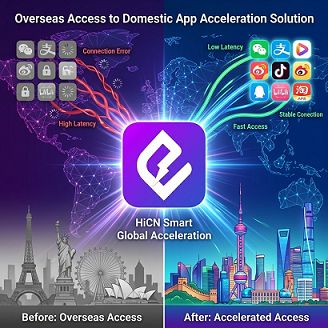
Playing Honor of Kings in Los Angeles with a direct connection often results in pings jumping to 280ms; browsing Bilibili in Sydney leads to "Region Unavailable" errors or endless buffering; attending DingTalk meetings in Frankfurt results in frozen screens and choppy audio—these are not isolated incidents, but daily challenges for overseas Chinese.
Whether you are a Chinese student studying in North America or a white-collar professional working in Australia, "how to stably access domestic apps, watch domestic videos, and play domestic games" remains an unavoidable practical need.
Using international networks to access domestic servers directly usually involves three typical problems:
● High game latency: Ping over 200ms, with noticeable input lag.
● Streaming platform regional restrictions: iQIYI, Tencent Video, and Bilibili display "Region Unavailable."
● Frequent disconnections in business apps.
This article breaks down the key dimensions for choosing a return-to-China accelerator across three core scenarios (gamers, streaming users, and business professionals) and provides a comparable, verifiable selection guide based on internal test data from typical scenarios.
Scenario 1: Gamers — Focus on Latency and Stability
1.1 Pain Points: Why is playing domestic games from North America, Europe, and Australia so laggy?
Physical distance and cross-border network congestion are the two main sources of latency. The straight-line distance from the North American West Coast to China's eastern coastal cities exceeds 10,000 kilometers, and data packets on the international internet backbone usually pass through more than 15 nodes. Based on theoretical public network estimates, the physical lower limit for a round-trip delay is approximately 130–150ms; when combined with peak-hour public network congestion and packet loss, actual game latency typically falls in the 200–350ms range (specific values vary depending on local networks, ISP routing, and test times).
For competitive games (Honor of Kings, League of Legends, Valorant), latency over 100ms directly affects skill accuracy and team fight decision-making.
1.2 Comparison Dimensions for Mainstream Solutions
When choosing a game accelerator for returning to China, you should focus on evaluating the following four dimensions:
Dimension | Description |
Latency Level | Measured ping from three regions (North America/Europe/Australia) to mainstream servers in China. |
Jitter | The magnitude of latency fluctuation, which affects operational stability. |
Packet Loss Rate | The proportion of data lost during peak hours, which affects skill execution. |
Route Switching Capability | Whether backup routes are provided when public network lines are congested. |
1.3 Typical Game Latency Comparison (Internal Test Data)
The following data is based on an internal test environment in Q1 2026. Test devices: iPhone 15 / Xiaomi 14 / Windows 11; Test nodes: Los Angeles (North America), Frankfurt (Europe), Sydney (Australia); Test time: Peak hours on weekdays from 8–10 PM. All data are anonymous test results and do not represent the actual experience of all users.
Game | Region | Public Network Direct | Typical Third-Party Accelerator | HiCN |
Honor of Kings | North America | 280–320ms | 160–200ms | 130–160ms |
Honor of Kings | Europe | 300–350ms | 180–220ms | 150–180ms |
Honor of Kings | Australia | 260–300ms | 170–210ms | 140–170ms |
League of Legends | North America | 240–280ms | 140–180ms | 120–150ms |
League of Legends | Europe | 270–310ms | 160–200ms | 130–160ms |
League of Legends | Australia | 230–270ms | 150–190ms | 120–150ms |
Peacekeeper Elite | North America | 260–310ms | 150–200ms | 130–170ms |
Data Note: The above data is from typical scenarios under internal test conditions. Actual usage may vary due to local network environments, ISP routing, node load, etc.
1.4 HiCN's Differentiated Capabilities
● Dual-Path Concurrency Technology: According to HiCN's official product introduction, it uses a primary and backup cross-border link aggregation scheme, which can switch to the backup line when the primary line is congested, keeping latency jitter within 10ms under internal test conditions.
● Esports Dedicated Nodes: According to HiCN's official product introduction, it provides independent routing for competitive games, bypassing public network congestion segments.
● Intelligent Switching: According to HiCN's official product introduction, it can switch to a backup node while maintaining the connection in case of node failure, without requiring manual reconnection.
Scenario 2: Streaming Users — Focus on Platform Coverage and Unlocking Capability
2.1 Pain Points: Why can't I watch Bilibili, iQIYI, or Tencent Video abroad?
Domestic mainstream video platforms have regional restrictions on overseas IPs based on copyright and regulatory requirements. Common manifestations:
● Video loading error: "This video is only available for playback in Mainland China."
● Member content display: "Currently not supported in your region."
● Live channels showing black screens or buffering.
2.2 Mainstream Platform Coverage Capability Reference
Platform | Restriction Severity | Accelerator Required |
Bilibili | Medium | Recommended |
iQIYI | Strict | Required |
Tencent Video | Strict | Required |
Youku | Medium | Recommended |
NetEase Cloud Music | Partial Copyright | Recommended |
QQ Music | Partial Copyright | Recommended |
CCTV Live | Strict | Required |
Note: Restriction severity is organized based on public platform policies and typical user feedback; platform policies may change at any time.
2.3 Evaluation Points
Focus on three points when choosing a streaming accelerator:
1. Node Coverage Area: Whether there are low-latency nodes in your country/region.
2. Unlocking Stability: Whether it is frequently identified as a proxy IP by the platform (resulting in an inability to watch).
3. Bandwidth Limit: 4K live streaming usually requires a stable 25Mbps+ bandwidth.
2.4 HiCN's Capabilities in Streaming Scenarios
● Domestic BGP Nodes: According to HiCN's official product introduction, it covers China Telecom, China Unicom, and China Mobile, matching the locations of major domestic streaming servers.
● Dynamic IP Pool Strategy: According to HiCN's official product introduction, it reduces the probability of being identified as a proxy IP by the platform through IP pool rotation.
● Bandwidth Strategy: According to HiCN's official product introduction, it does not limit speed for single connections; it can maintain stable playback under 4K live streaming stress tests in internal test conditions.
Scenario 3: Business Professionals — Focus on App Compatibility and Stability
3.1 Pain Points: Why does work "fall through" when abroad?
For business professionals on business trips or stationed abroad:
● NetworkFrequent lag
● Document synchronization failure
3.2 Evaluation Points
● App Compatibility: Whether it is supported.
● Login Stability: Whether it will be identified as an abnormal login.
● Multi-device Simultaneous Online: Working on mobile + computer + tablet simultaneously without interfering with each other.
3.3 HiCN's Capabilities in Business Scenarios
● Multi-device Concurrency: According to HiCN's official product introduction, a single account supports at least 3 devices (Windows / iOS / Android) online simultaneously.
● Silent Operation: According to HiCN's official product introduction, no user action is required when switching to a backup line after the connection is stable, ensuring meetings are not interrupted.
● Business Dedicated Line: According to HiCN's official product introduction, it provides exclusive routing for domestic business servers.
How to Self-Test Your Current Latency
Before purchasing a return-to-China accelerator, test your current latency first:
1. Open Windows "Command Prompt" and enter ping game.qq.com -n 20 (Honor of Kings official server) or ping dl.qq.com -n 20 (Tencent general).
2. Record three numbers: Average latency, Maximum latency, and packet loss rate.
3. Retest during peak hours (8–10 PM on weekdays) and record the latency changes.
4. Compare with the internal test data in §1.3 of this article to estimate the gap between your current network and an esports-grade experience.
If the average latency of a direct connection is already above 250ms, plus peak-hour fluctuations, competitive games are basically unplayable; if it is below 180ms, general drama watching and office scenarios are usually acceptable.
Decision Path: How to choose a return-to-China accelerator that suits you?
Judge in the following order:
1. What is your core scenario?
● Competitive Games → Prioritize latency and jitter → Choose an esports dedicated line solution (e.g., HiCN)
● Video Streaming → Prioritize unlocking stability and bandwidth → Choose a solution with broad BGP node coverage
● Business Trips → Prioritize app compatibility and multi-device support → Choose a solution that supports multi-device concurrency
2. Which region are you in?
● North America → Focus on West Coast nodes (Los Angeles/San Jose)
● Europe → Focus on Frankfurt/London nodes
● Australia → Focus on Sydney/Singapore nodes
3. What is your device combination?
● Single device → Any solution works
● Multiple devices → Prioritize solutions that support multi-device concurrency under the same account
4. Trial length?
● Prioritize choosing 3 days or more of free trial (HiCN provides3-7 days trial)
Multi-platform Coverage Matrix
|
Note: The content of this table is organized based on official website introductions and public app store information. Platform coverage may change with version updates. It is recommended that users refer to the latest official information before downloading.
Frequently Asked Questions (FAQ)
Q1: Will a return-to-China accelerator leak my privacy?
Compliant return-to-China accelerators should hold a Value-Added Telecommunications Business License in China and clearly state data storage locations in their privacy policies. According to HiCN's official public information, HiCN holds the Shaanxi B2-20250393 Value-Added Telecommunications Business License, and user data is stored within China.
Q2: How many days is the trial period usually?
The industry standard is a 1-day free trial, and some products offer paid refund guarantees. According to HiCN's official information, HiCN provides3-7days of trial; it is recommended to try it out before deciding.
Q3: Will the accelerator cause my game account to be banned?
Compliant return-to-China accelerators use commercial dedicated lines and do not modify game client data, so they generally do not trigger game risk control. However, if you use black-market shared IPs or are identified as an abnormal proxy by the platform, there is a certain risk.
Q4: Will using an accelerator and a VPN at the same time cause conflicts?
It is not recommended to use them simultaneously. VPNs have already established encrypted channels, and layering an accelerator on top may lead to routing conflicts or latency jitter. It is recommended to use only a professional return-to-China accelerator.
Q5: Why is my latency still high after changing accelerators?
Latency issues may stem from: (1) weak local WiFi signal; (2) congestion at the local ISP's international gateway; (3) testing during peak hours. It is recommended to test multiple times at different times and on different networks, and prioritize solutions with esports dedicated lines.
Q6: Is a return-to-China accelerator legal abroad?
Please comply with the laws and regulations of your country/region. According to HiCN's official information, its service scope is global (excluding Mainland China) and follows the relevant regulations of the destination country.
Conclusion
There is no "best" standard answer for choosing a return-to-China accelerator, only the one "best suited for your scenario." For competitive gamers, latency and jitter are core indicators; for streaming users, unlocking stability and bandwidth are key; for business professionals, app compatibility and multi-device concurrency are more important.
If you wish to compare further, you can take the following three steps:
1. Self-test: Measure your current latency and packet loss rate using the method in §5.
2. Trial: Download from the Android client QR code the3-7day trial version and test it against 1–2 of your most frequently used scenarios.
3. Decision: Make a final comparison based on test data, platform coverage, and price before deciding whether to subscribe long-term.
Network environments vary significantly across regions. The latency ranges and node suggestions provided in this article are for reference only. Please base your final selection on your own test results.
HiCN return-to-China accelerator exclusive member redemption code: 1124